A purchase request reaches finance without a cost center. A new-vendor setup request reaches procurement without the vendor's tax ID. A customer escalation reaches engineering without the steps to reproduce the problem. In each case, the receiving team stops, sends the request back, and waits.
Each is a work request that failed the intake process, and each one hides well. The original request sits in someone's inbox. The reply asking for the missing detail sits in another. Nobody owns the wait between them, so it never appears on a report. Weeks later, when someone asks why vendor setup takes so long or why escalations stall, the answer comes back as a handoff problem: procurement is slow, engineering doesn't respond, finance sits on requests.
The handoff gets the blame because that's where the delay becomes visible. The cause sits one step earlier. A cross-departmental process breaks at the first step when work enters a queue it was never ready for.
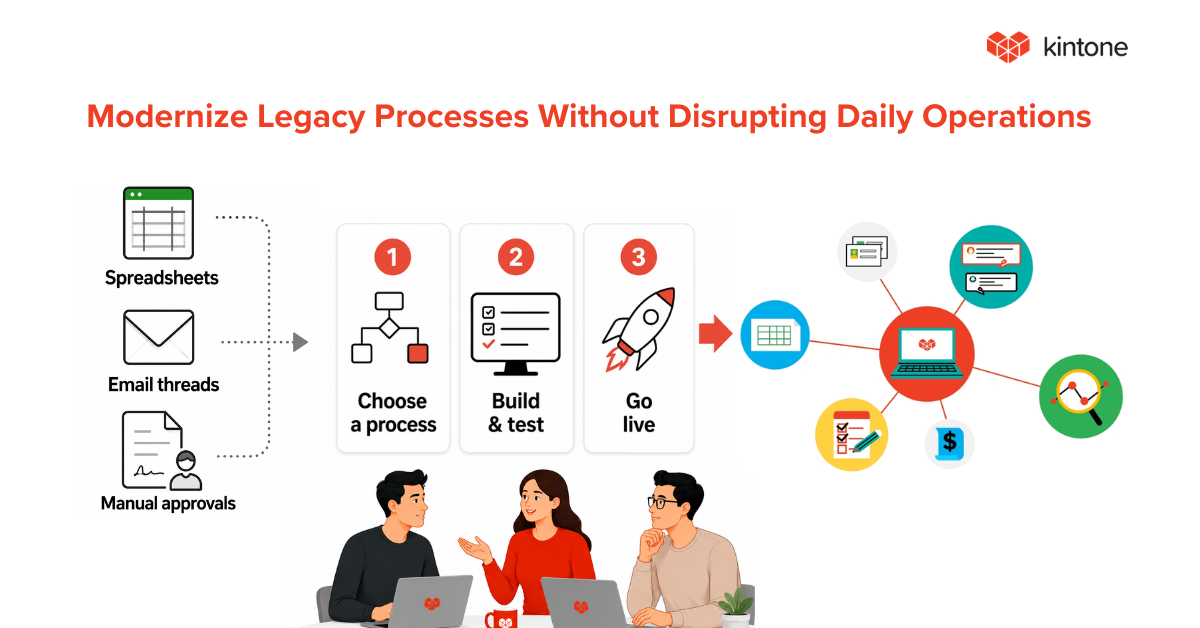
This article covers what has to be true about a request before it enters another team's queue, who decides that, and how to hold every request to it without pushing requesters back to email. The organizing idea is an intake contract: a short agreement, drafted by the receiving team and approved by the process owner, that defines when a request is complete enough to act on.
Why Cross-Departmental Requests Break at Intake
Follow the cost of one incomplete request. The receiving team opens it, finds the gap, and writes back asking for the missing piece. That reply is work. So is reading the answer, checking it against what was asked, and sometimes asking again. Every round trip adds time the requester experiences as "procurement is slow," even though procurement hasn't started on the request yet, because there was nothing it could start.
Meanwhile, the request has no clear state. It isn't in the queue, because it was sent back. It isn't with the requester in any recorded way, because the requester believes it was submitted. It lives in an email thread, which means it lives outside every report the receiving team produces. Cycle time looks healthy on the requests that arrived complete and says nothing about the ones that didn't.
When leaders notice the delay, they treat it as a coordination problem. They add a weekly status meeting, a shared tracker, a rule that someone checks on open requests every Friday. Each fix targets the handoff. None of them changes what enters the queue, so the same incomplete requests keep arriving, and the new meetings spend their time chasing them.
The bottleneck in an intake failure sits at the start of the process: a backlog of requests that can't move because they were never complete. That backlog is easy to miss because it doesn't look like a queue. It looks like scattered emails, half-filled forms, and a coordinator who "is waiting to hear back."
Behind that backlog sits a mismatch in who pays. The requester pays the cost of completing a request: finding the cost center, chasing the vendor for a tax form, writing down reproduction steps. The receiving team pays the cost of an incomplete one: the rework, the follow-up, and the delay charged to its name. When requesters never feel the receiving team's cost, requests arrive thin. When the receiving team demands everything it could ever want, requesters stop using the channel. That mismatch is a recurring source of intake friction, and the fix starts with making both costs visible and agreeing where the line sits.
What Is an Intake Process? Operational Requests and Project Intake
An intake process is the set of rules a receiving team uses to decide whether a request is complete enough to act on and where it goes next. It ends at one of two outcomes: the request is accepted as complete, or it goes back to the requester with a reason.
That definition covers operational intake: the recurring requests a department exists to handle. Finance handles purchase requests. Procurement sets up vendors. IT provisions new hires. Engineering investigates escalations. The receiving team is expected to accept these requests, so the open question is whether each one arrived ready.
Project intake answers a different question. It decides whether a proposed initiative should happen at all and how it competes with other proposals for people and budget. Much of what's written about intake describes this second kind: scoring, prioritization, portfolio review. Those are real decisions, and they belong to a separate process.
Intake also stays separate from triage. Intake asks whether the request is complete and routable. Triage asks how urgent it is and where it falls in line. Teams that merge the two end up prioritizing work that can't start, because an urgent request missing its key detail still can't move.
Three states follow from this, and the rest of this article keeps them apart:
- Submitted: the requester sent it. Nothing has been checked.
- Accepted, or intake-complete: the request has the required information, passes the defined checks, and has an identified destination. Acceptance means the work can be considered. It does not mean the work is approved, prioritized, or started.
- Ready for execution: any required approval has been given and the work is assigned.
A request can be submitted and incomplete, accepted and still awaiting approval, or approved and still unassigned. Each gap belongs to a different owner.
Write the Intake Contract Before You Build the Request Form
Most teams fix intake by redesigning the request form. The form is only the surface. Underneath it sits a set of decisions nobody has written down: which requests the team handles, what each one needs, who supplies it, where it goes, and what happens when it arrives short. Write those down first. The result is an intake contract, and it has six parts.
- Request types. Each kind of request the receiving team handles, named separately. A new vendor and a change to an existing vendor's bank details carry different requirements and different risks, so each gets its own entry.
- Required information. What must be present for the receiving team to act, with valid values where they exist: an active cost center, a vendor already in the system, a date in the future.
- Who provides it. Which details the requester supplies and which must come from someone else, such as a budget owner, a manager, or the outside party.
- Routing rule. Where a complete request goes, decided by what the request contains. The requester's guess about who handles it plays no part.
- Return path. What happens to an incomplete request: who sends it back, how the reason is recorded, and how resubmission keeps the history intact.
- Response time. How quickly the receiving team acknowledges a complete request. Requesters care about this part most, and it gives them a reason to use the channel.
The receiving team drafts the contract, because it knows what it needs to act. Representatives of the requesting teams then challenge any requirement they consider unnecessary. The process owner, the leader accountable for the process from end to end, approves the final rules and settles disputes. That third role matters. Without it, the contract becomes a way for the receiving team to justify a longer form, and requesters stop trusting it.
A Worked Example: New-Vendor Setup
Take a hypothetical mid-sized company where operations teams request new vendors through procurement. Today the request arrives as an email with whatever the requester thought to include. The contract procurement drafts has required fields that reflect the company's intake policy. Another procurement team could accept the request first and collect the tax form during its own review. The contract records what this team needs before it starts work, and leaves everything else to the stage that needs it.
- Request types: new vendor setup, a change to existing vendor details, and a one-time payment to a payee who won't become a vendor. This example follows the first.
- Required information: vendor legal name, tax ID, a signed tax form (a W-9 for U.S. vendors), remit-to address, requesting department, cost center, and expected annual spend.
- Who provides it: the requester supplies the business reason, department, and cost center. The vendor supplies the tax ID and tax form, collected by the requester. The budget owner confirms the expected annual spend.
- Routing rule: domestic vendors go to the procurement specialist queue. International vendors go to the specialist who handles foreign tax documentation.
- Return path: procurement returns an incomplete request on the same record, with a reason chosen from a short list (missing tax form, invalid cost center, spend not confirmed) and a note.
- Response time: procurement acknowledges a complete request within two business days.
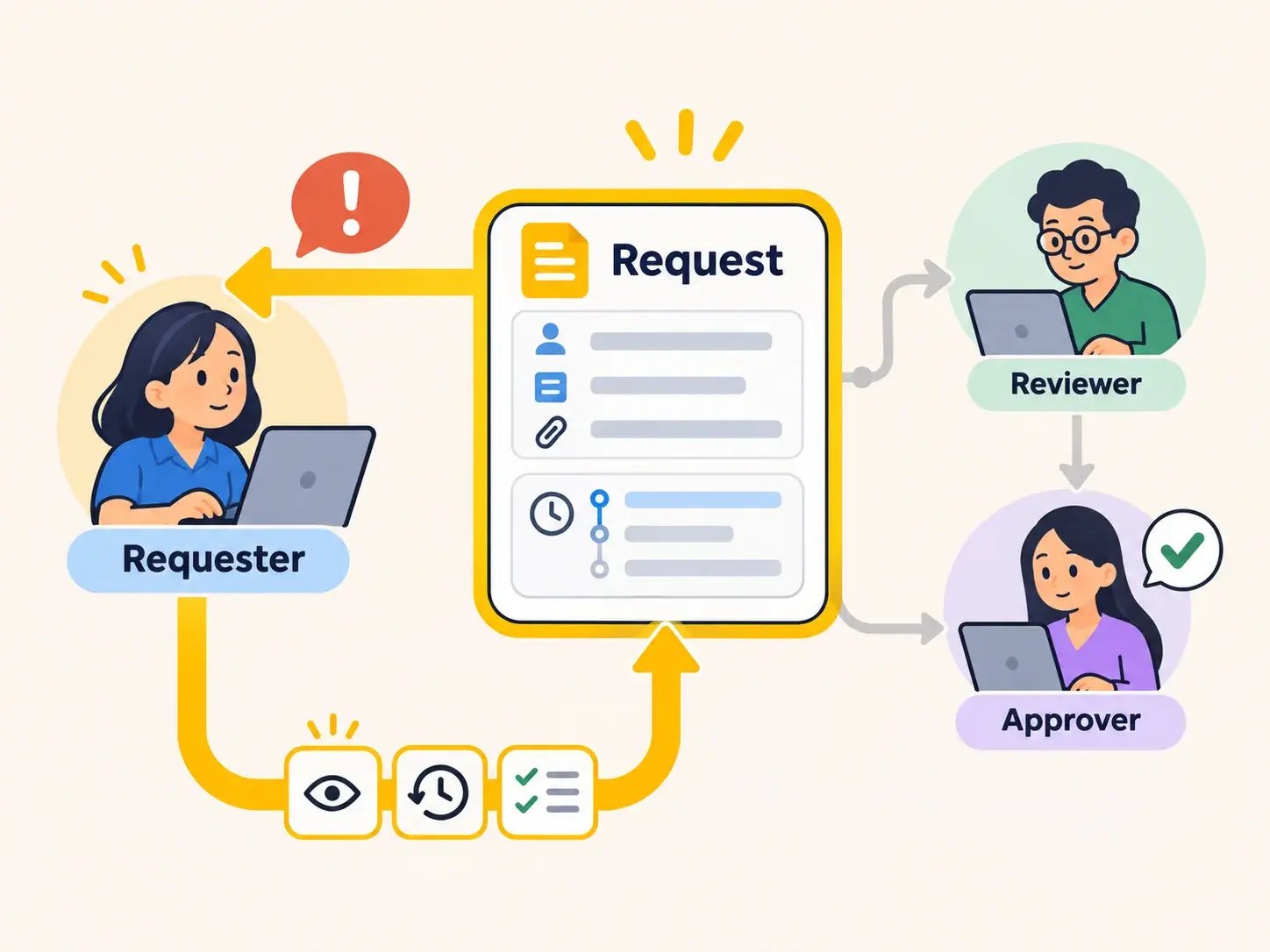
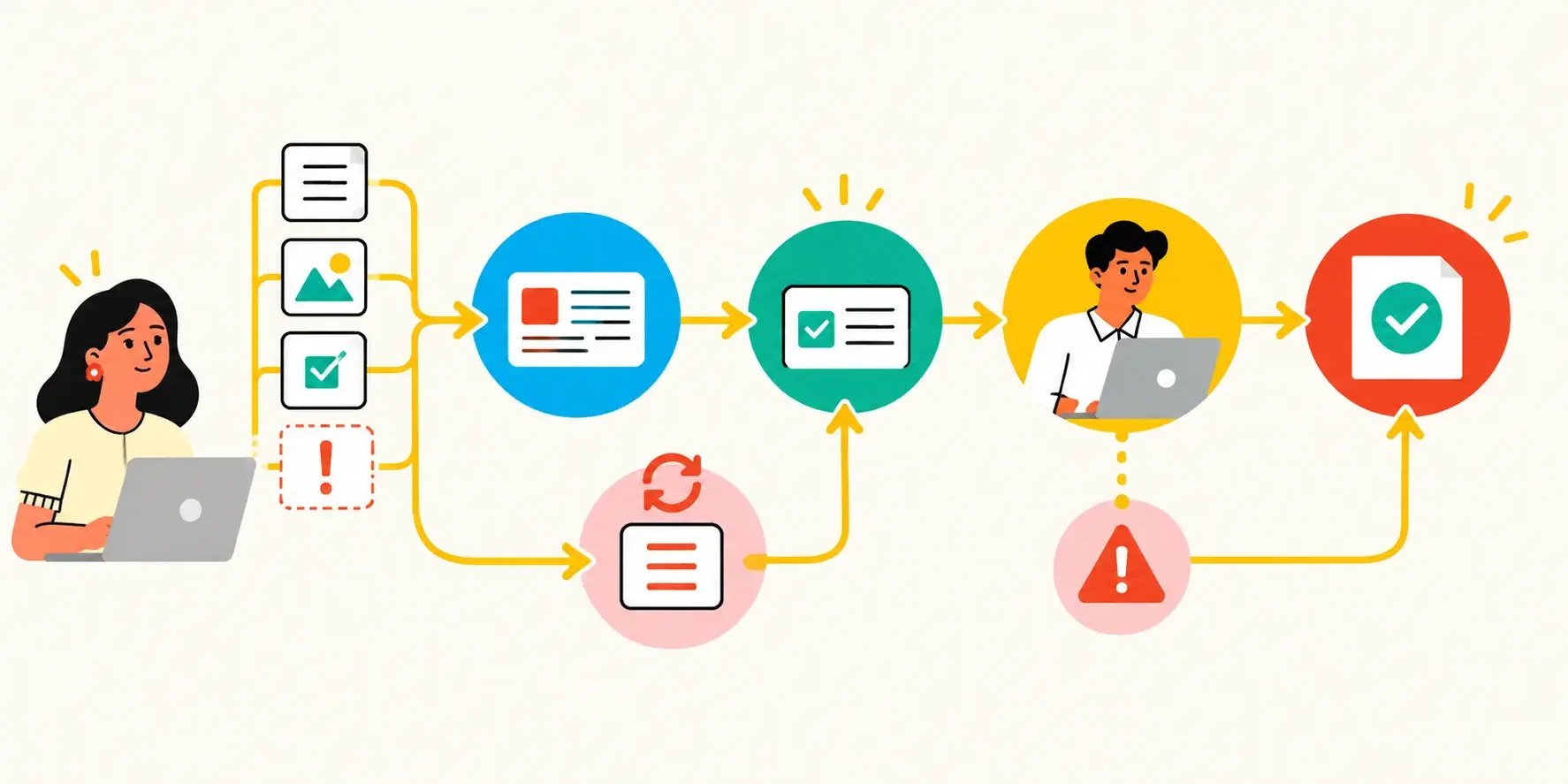
Now follow one request. A facilities coordinator submits it on Monday without the vendor's tax form. The request is submitted. On Tuesday, procurement returns it with the reason "missing tax form." The coordinator gets the form from the vendor and resubmits on Wednesday, on the same record, so the first submission and the return reason stay visible. On Thursday, procurement checks it against the contract and marks it accepted: every required field is present, the cost center is active, and the request routes to the domestic queue. Because the expected spend crosses the company's review threshold, finance then approves it, and procurement assigns setup to a specialist. Now it is ready for execution.
Every step in that sequence has an owner and a recorded state. None of it depends on someone remembering to check an inbox.
That sequence describes the team's current, review-based process: an incomplete request can be submitted, recorded, reviewed, and returned. The improved process adds a second layer. Submission-time validation stops what the system can check, such as a missing attachment or a closed cost center, before the request is ever sent. Human review then handles what needs judgment, such as whether the tax form matches the vendor's legal name. Both layers enforce the same contract; validation catches the mechanical gaps so review time goes to the ones that need a person.
Intake Process Best Practices That Prevent Incomplete Requests
Start with the bypass problem, because it decides whether any of the other practices work. If submitting a request costs more effort than sending an email, people send the email. The intake process then stops seeing the work, and every rule in the contract applies only to the requesters patient enough to follow it. Requester effort is a design constraint. Treat it as one.
Five practices keep completion cheap. Each one prevents a common intake form mistake. These are design practices: any tool enforces some of them natively and needs configuration for others, so test each one in your tool before relying on it.
Require only what the contract needs. Mistake prevented: too many required fields. Every field beyond the contract is a reason to go around the form. If procurement doesn't act on a field, it doesn't belong on the vendor setup request.
Show questions by request type. Mistake prevented: one form for every request. A requester changing a vendor's address shouldn't scroll past the questions for a brand-new vendor. Ask for the request type first, then show only what applies.
Validate at entry. Mistake prevented: checks after submission. A tax ID in the wrong format, a missing attachment, or a past date should stop the request before it's sent, while the requester still has the information at hand. Each check moved to the point of entry is one fewer return.
Pull reference data from a list. Mistake prevented: typed answers. Cost centers, vendor IDs, and department names come from a lookup against the system that owns them. A requester who picks a cost center from a list can't submit one that closed last quarter.
Record an exception path for urgent requests. Mistake prevented: no urgent path. When a request can't wait, give requesters a way to submit it with a stated reason and a named approver. Urgency then travels through intake, where everyone can see it, and stops being a reason to skip intake entirely.
One condition sits under all five: a single front door. Requests that arrive by email, chat, hallway conversation, and a form all at once can't be held to one contract. Choose the channel the contract applies to, and treat requests from anywhere else as submissions to be entered there. For teams whose requests live in spreadsheets, inboxes, and separate systems, start by bringing requests from several tools into one place.
Route and Approve Requests Based on Their Contents
In most informal processes, routing runs through people. The requester sends the request to whoever they know in procurement, that person forwards it, and the request's path depends on the requester's network. An intake contract replaces that with rules drawn from the request itself: its type, and values inside it such as amount, location, or product line. In the vendor example, the vendor's country decides the queue. Nobody has to know who handles international tax forms.
Routing and approval are two separate decisions, and the contract treats them that way. Routing sends a complete request to the right owner or queue. Approval decides whether the requested action is authorized. A complete purchase request routes to finance, and finance can still reject the spend. Keeping the two apart matters for measurement too: a request waiting for approval is already complete, so its delay belongs to the approval step and never counts against intake.
The same values can drive both decisions. The organization can set an amount threshold that sends larger purchases to a second reviewer and requires an additional approval. The organization defines the threshold, the reviewer, and the approval authority; the system applies the rule only as configured. A request type can set both the queue and the approver. Write each rule into the contract once, so the approval workflow and the routing rule never disagree.
Entry points follow the same logic. One entry point per receiving team keeps the contract enforceable. Several entry points work only when each applies the same contract, and every additional channel is another place for a request to arrive incomplete.
Keep Incomplete Work Requests Visible
A returned request is still work. It has a requester who needs to act, a receiving team waiting on that action, and a clock running on the original need. When the return path runs through email, all of that leaves the system. The request drops out of the queue, the reason for the return lives in one inbox, and the resubmission arrives looking like a brand-new request with no history.
Keep the returned request on the same record. Capture the reason in a structured field: a short list of standard reasons plus a note for detail. Show the request's current state to the requester and the receiving team alike. When the requester resubmits, the record continues from where it stopped, so the reviewer sees what was missing the first time and confirms it's now present.
That is the core job of a request management system: one record per request, a visible status, and a history that survives every return. A shared spreadsheet approximates it for a small team, as long as someone updates the status every time a request moves. Manual tracking carries a built-in risk: the record is only as current as the last person who remembered to update it.
Visible returns also feed the measures in the next section. Return reasons recorded in a field can be counted. Return reasons buried in email threads can't.
How to Measure Intake Process Performance
Intake problems show up as operational bottlenecks, but a long cycle time alone can't tell you whether requests arrive incomplete or sit waiting for review. Five measures separate the two. Capture a baseline before changing anything, so the effect of the contract shows.
First-pass acceptance rate. Requests accepted on initial review, divided by requests that have received an initial review. Leave requests not yet reviewed out of the denominator, or a busy week will look like a quality problem. In the vendor example, the coordinator's request fails its first review because the tax form is missing. Requiring the attachment at submission prevents that particular return, as long as the rest of the request meets the contract. Validation at entry raises this rate partly by stopping incomplete attempts before they're counted, and some of those requesters give up or go back to email. Watch the bypass rate, and abandoned submissions where the tool records them, alongside first-pass acceptance before crediting the contract with the improvement.
Return reasons. The count and distribution of documented reasons for returning a request. One request can carry several reasons, so report the number of requests returned separately from the total reasons recorded. The top reason points to the next fix: a field to require, a lookup to add, or an instruction to rewrite.
Time to intake complete. For requests accepted during the reporting period, the time from original submission to acceptance as complete. Report it separately from time spent awaiting approval or execution, so intake gets measured as intake. Read it alongside unresolved intake age (below), which keeps requests that remain incomplete visible even when the average for completed requests improves.
Bypass rate. Eligible requests started outside the intake channel, divided by all eligible requests. The system can't count requests it never sees, so this measure needs a sample or a manual tally from the receiving team, such as a two-week count of requests that arrived by email. Label the result an estimate.
Intake queue age, reported two ways. Initial review queue age is how long submitted requests wait for their first accept-or-return decision. Unresolved intake age is the time since original submission for every request not yet intake-complete, including returned ones. Report both. A team can make initial review look fast by returning requests quickly; unresolved intake age shows whether those requests ever reached complete.
Read the measures together. A long initial review queue with a high first-pass acceptance rate points to a review backlog: the requests are fine, and the receiving team needs capacity. A short review queue with a low first-pass rate and long unresolved age points to the contract or the form: requests arrive thin and bounce. A rising bypass rate means the channel costs more than email, and the best practices above are the place to look.
A pilot is the natural place to capture that baseline, and our guide to evaluating workflow software uses first-pass acceptance as a pilot metric.
When Intake Problems Require Better Systems
The practical question for any intake contract is where its rules live. If they live in a training document and in the receiving team's memory, every new requester has to learn them, and each new hire on the receiving team applies them by their own reading. The contract erodes with every staff change. If the system holds each request to the contract, the rules survive turnover. That is the line between an intake problem that needs better instructions and one that needs a better system. When the answer is a better system, start with what operations software should handle before comparing tools.
Run the test directly. Take the contract and ask, for each of the six parts, whether a person enforces it or the system does. Required information checked by a reviewer's eye is a person. A cost center chosen from a list is the system. A return reason typed into an email is a person. A return reason recorded on the request's own record is the system. The more parts that depend on a person, the more the intake process depends on who's working that week.
Kintone is one way to put the contract into the system. Request records can mark fields as required, so a vendor setup request can't be submitted without its tax form. Requiring an attachment confirms that a file is present; whether it's the right document stays a reviewer's call. Lookup fields pull cost centers or vendor IDs from the app that owns them and check that a cost center is active, so a requester can't select a closed one. Process Management moves each record through defined statuses, and branch conditions the team configures route a request by the values it contains, such as sending international vendors to their own queue. A returned request stays on its original record with its history. Approvals in Process Management are actions a person takes, so routing a request never approves it.
Two limits belong in the same breath. Fields required only at a specific stage of the process come from Kintone's Process Management Required Fields plug-in, which is separate from the core settings. Showing different questions by request type takes a plug-in or customization. Each of these is configuration the team owns and maintains.
Whatever system a team considers, run a real request through it and test whether the platform enforces intake under real conditions before committing. Measure the results against the baseline you captured before the change. The ones to look for are the ones this article started with: requests that arrive ready, teams that stop chasing each other for missing details, and better communication between departments, because the rules for what a complete request contains live where both sides can see them.
See how Kintone holds requests to the information your teams need before work starts. Bring one of your own intake processes and book a demo with a Kintone expert.


About the Author