


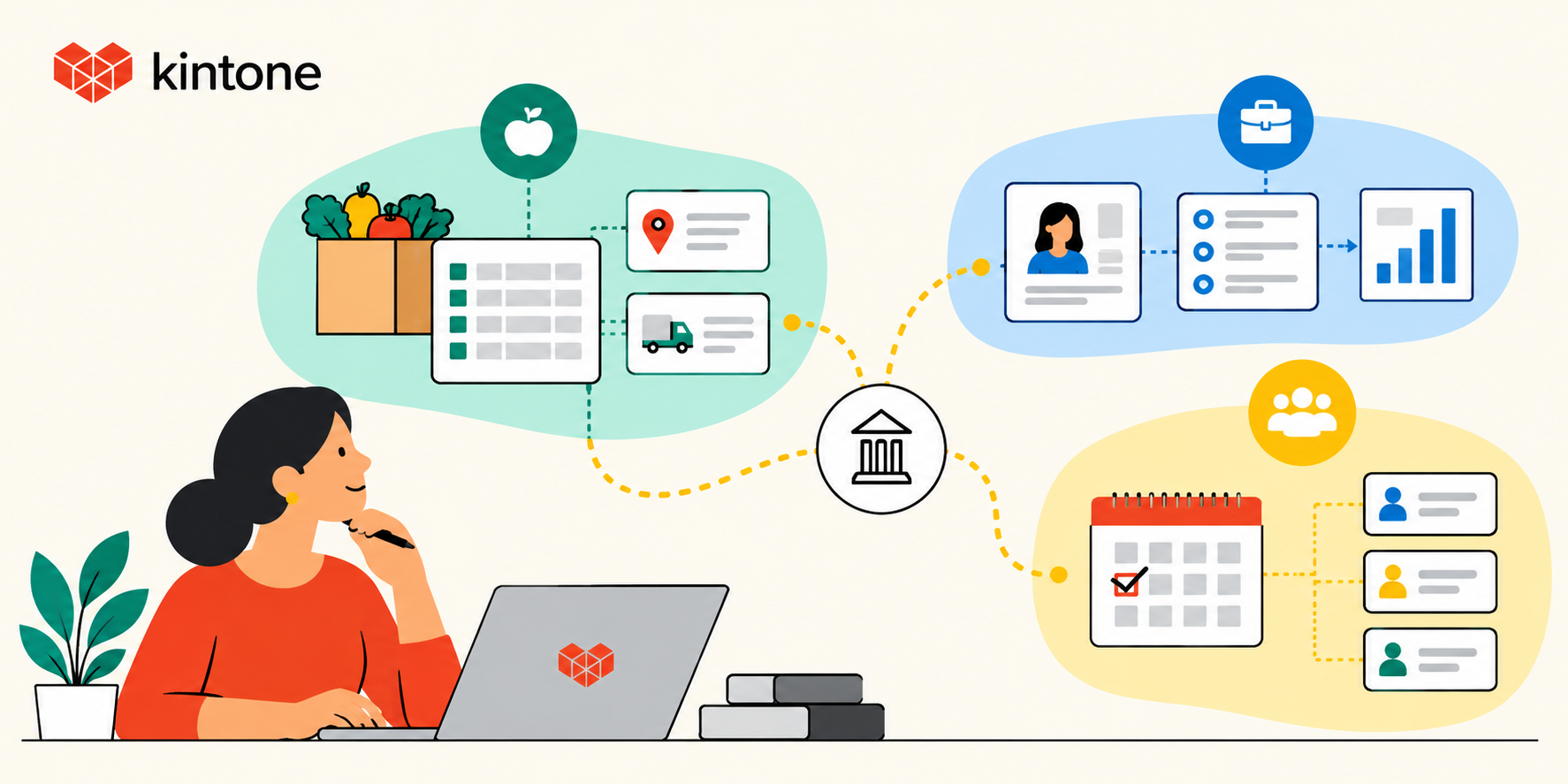
A nonprofit can run several programs that collect completely different information and still have each program working exactly as intended. Food distribution may live in one spreadsheet, volunteer hours in another, and client services in a separate database. The difficulty appears when someone needs an answer that crosses those boundaries.
At that point, staff have to find the right files, export the right records, reconcile differences, and decide which entries refer to the same person or activity before they can see the organization as a whole. Nothing about that process means the programs were badly managed. Each program may have chosen a sensible way to track its own work. Several sensible local systems can still add up to an organization-wide visibility problem.
Trying to solve that fragmentation by putting every program into the same template creates a different problem. A food pantry, job-readiness program, and volunteer operation should not have identical records because they do not do identical work. Connection has to preserve those differences while giving staff a way to see across them. One system does not have to mean one form or one workflow. It can mean one connected environment in which each program keeps the records it needs while defined relationships between those records remain visible.
How Fragmentation Happens One Reasonable Decision at a Time
Program data can fragment because each team solves the problem in front of it. Attendance may be urgent for one program, service history for another, and volunteer hours for a third. A spreadsheet or small database gets built around that need, and the structure can work well for the team using it.
The first difficulty is recognizing the same participant across programs. Without a consistent way to do that, staff cannot distinguish separate people from repeat participation. A row count can show service visits without showing how many people used more than one program.
Some reporting rules require that distinction. The Community Services Block Grant Annual Report instructions require eligible entities to report unduplicated individuals in the All Characteristics Report. That requires a unique identifier so a person served by several programs during the reporting year is counted once. The instructions acknowledge that multiple data systems can make this difficult.
Even after participant records have been matched, the categories may need review. One program might use a completion field for attendance, while another uses it for an achieved outcome. Combining those fields without retaining their definitions can make the total misleading. Staff need to know what each program measured before comparing results.
Corrections create another risk when programs maintain independent copies of the same information. An update to one file leaves the other copies unchanged unless someone or a defined update process carries the correction across. Connection works only when the organization has decided which record is the authoritative source for shared information. Without that decision, connecting records does not solve the problem. It can make conflicting versions more visible without resolving which one is correct.
The person preparing the combined report can become the only person who knows which files to trust, which categories can be compared, and how participant records should be matched. Giving a colleague access to the files does not pass on those decisions. Those checks have to happen before leadership can review a combined result, even when each program has finished recording its work.
What One System Needs to Mean
Managing several nonprofit programs in one system does not require every program to use the same template. Each program should keep the fields and processes that fit its work. Food distribution may require records for pounds distributed, pantry partners, and pickup frequency. Job-readiness staff may track participants, attendance, training stages, and employment outcomes. Volunteer coordination may focus on shifts, hours, roles, and availability. A shared person record, common dates or locations, and shared program identifiers can support cross-program reporting without requiring every team to change the records they use every day.
Connection requires boundaries as well. Participant information should not automatically be visible across every program because the technology can connect it. The rules for sharing participant data can differ by organization, program, funding source, and data type. Before linking records, confirm which information each program may share and who may access it. The system has to support those restrictions rather than assuming all program data belongs in one unrestricted pool.
Access follows the same logic. Volunteers entering food-distribution activity may need access to a small set of fields and no access to client case notes elsewhere. Program managers may need to review one program without editing another. Staff should be able to manage those access rules as responsibilities change without rebuilding the underlying program structure.
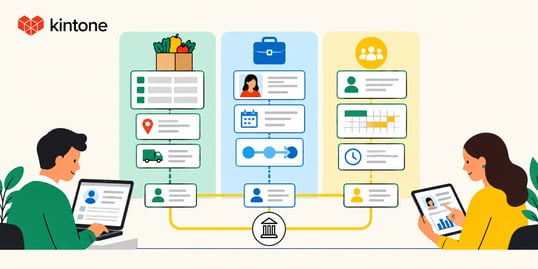
Routine program reports should draw from records that staff are already maintaining rather than requiring a new dataset before each report. Some funder reports will still require narrative sections, data transformation, or prescribed formats. Grant reporting in particular often draws on information that spans programs, and that work is easier when programs operate in a connected system rather than separate ones. The goal is to reduce the recurring work of compiling information that staff already maintain.
When a nonprofit adds a new service, the new program should be able to get its own fields, permissions, and workflow without forcing existing programs to redesign the way they already work.
How ORCCA Connected Projects, Volunteers, and Hours
At Oregon Coast Community Action, South Coast Food Share Program and Operations Director Laura Hunter was cleaning spreadsheet data and correcting volunteer time records from a paper sign-in notebook.
Within South Coast Food Share, Hunter built three connected Kintone apps for projects, volunteer records, and hours. Volunteer records linked people to projects, and the hours tracker drew on those records to track their time. Separate apps kept the records suited to each task, while their links preserved the relationship between volunteers and their work. Role-based permissions limited volunteers to the data-entry work they needed to perform without allowing them to delete records or change the structure.
Hunter's goal was to leave records a successor could follow, including how information was tracked and what needed to happen next. As she put it, "Clean data means resources go where they're needed."
South Coast Food Share demonstrates the underlying architecture at a smaller scale: distinct record types remain separate because they serve different purposes, while defined relationships connect them. Kintone's Related records field displays matching records across apps; app permissions limit access and actions by role. Applying this across an organization's full program portfolio requires deliberate configuration around each program's fields, permissions, data relationships, and reporting definitions. One technical limitation to know: values displayed through Kintone's Related records field cannot be used directly in built-in graphs or automatic calculations. Cross-program summaries that require aggregation may therefore need a different configuration or an additional tool.
What to Look for When Evaluating Nonprofit Program Management Software
Use a trial or demo to follow a cross-program question through the proposed nonprofit program management software. Bring sample program forms and a report your staff needs to produce, using fictional participant data. Test the records, access, corrections, and reporting as a sequence so you can see where manual work remains.
Program independence. Build two sample programs with unlike records: food-distribution fields in one, job-readiness fields in the other. Link only the information they are permitted to share. Confirm that each program retains its own form and definitions while the shared records remain traceable.
Identity and corrections. Enter the same fictional person in both programs and a second person with a similar name. Ask the vendor to show how staff determine which records refer to the same person, how that relationship is maintained, and what steps produce an unduplicated count. Correct one record and check which related information changes, which stays unchanged, and who resolves exceptions.
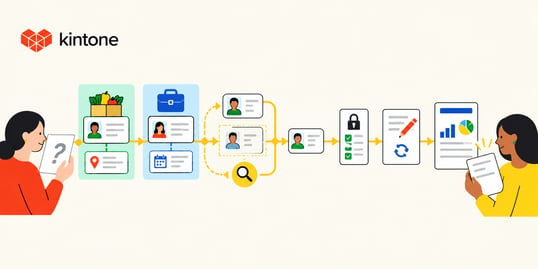
Permissions. Sign in as a volunteer, a program manager, and an organization-level administrator using separate test accounts. Try entering, viewing, editing, and deleting sample records under each role. Have the designated staff member change a permission and identify any steps that require technical assistance.
Reporting. Produce a report from the sample records. Trace activity counts, volunteer hours, or recorded outcomes back to their source entries, then correct an entry and run the report again. Ask the vendor to identify exports, additional software, and manual preparation required for a cross-program result.
Scalability and handoff. Add another program without changing the existing records. Check which forms, permissions, and reports need revision. Then ask a colleague who did not set up the demonstration to find the shared records and explain how the report was produced, using only the instructions the system's next owner would inherit.
Keep a record of the steps staff completed, the explanations they needed, and any work left outside the system. Those observations give you a basis for comparing how each proposed setup would fit your programs.
Connection Without Forced Standardization
Each team builds a way to track its own work, and that structure can do its job until the organization needs an answer that no single program can provide. When choosing a replacement, judge it on how staff answer that shared question without losing the detail each program relies on.
Bring a program form and a report to a Kintone demo to discuss tracking program outcomes and preparing records for audit-ready reporting.


About the Author
.jpeg)